Array Methods You Must Know
JavaScript Array Methods Every Developer Should Know what are array methods? Array methods are in-build functions used to manipulate,search,transform lists of data. these methods are categorized by whether they modify the original array (mutating) or return a new array(non-mutating).

push() : The
push()method adds one or more elements to the end of an array.
It modifies the original array and returns the new length of the array.Syntax: array.push(elem1,elem2, ...);
example:
const players = ["messi", "ronaldo", "vini"];console.log(players); // ["messi", "ronaldo", "vini"]
players.push("mbappe");
console.log(players); // ["messi", "ronaldo", "vini", "mbappe"]
Key Points:
Adds new element to the end of array.
Mutates the original array.
Returns the new length of the array.Tip: If you want to avoid the mutating oroginal array, you can use the spread operator.
const players = ["messi", "ronaldo"];const newPlayers = [...players, "mbappe"];
console.log(newPlayers); // ["messi", "ronaldo", "mbappe"];
pop() : The pop() method removes the last element from an array.
It modifies the original array & returns the removed element from array.Syntax : array.pop();
exmaple :
const players = ["messi", "ronaldo","vini"];
players.pop();
console.log(players); //['messi' , 'ronaldo']Key Points:
Remove the last element from the array.
Mutates the original array.
Returns the removed element .shift() : The shift() method remove the first element from the array, it modifies the original array and returns the value of element that was removed.
Syntax: array.shift();
example:
const players = ["messi", "ronaldo","vini"];
players.shift();
console.log(players); //['ronaldo','vini']Key Points:
Remove the first elements from array.
mutates the original array.
Returns the removed element.unshift(): The unshift() method add the element in the array at beginning, it modifies the original array and returns the length of array. If we give multiple elemets in the unshift it adds it in array and returns the length of array.
exmaple:
const players = ["messi", "ronaldo","vini"];
players.unshift("mbappe");
console.log(players); //["mbappe","messi", "ronaldo","vini"]Key Points:
Adds the elements at the beginning of the array.
mutates the original array.
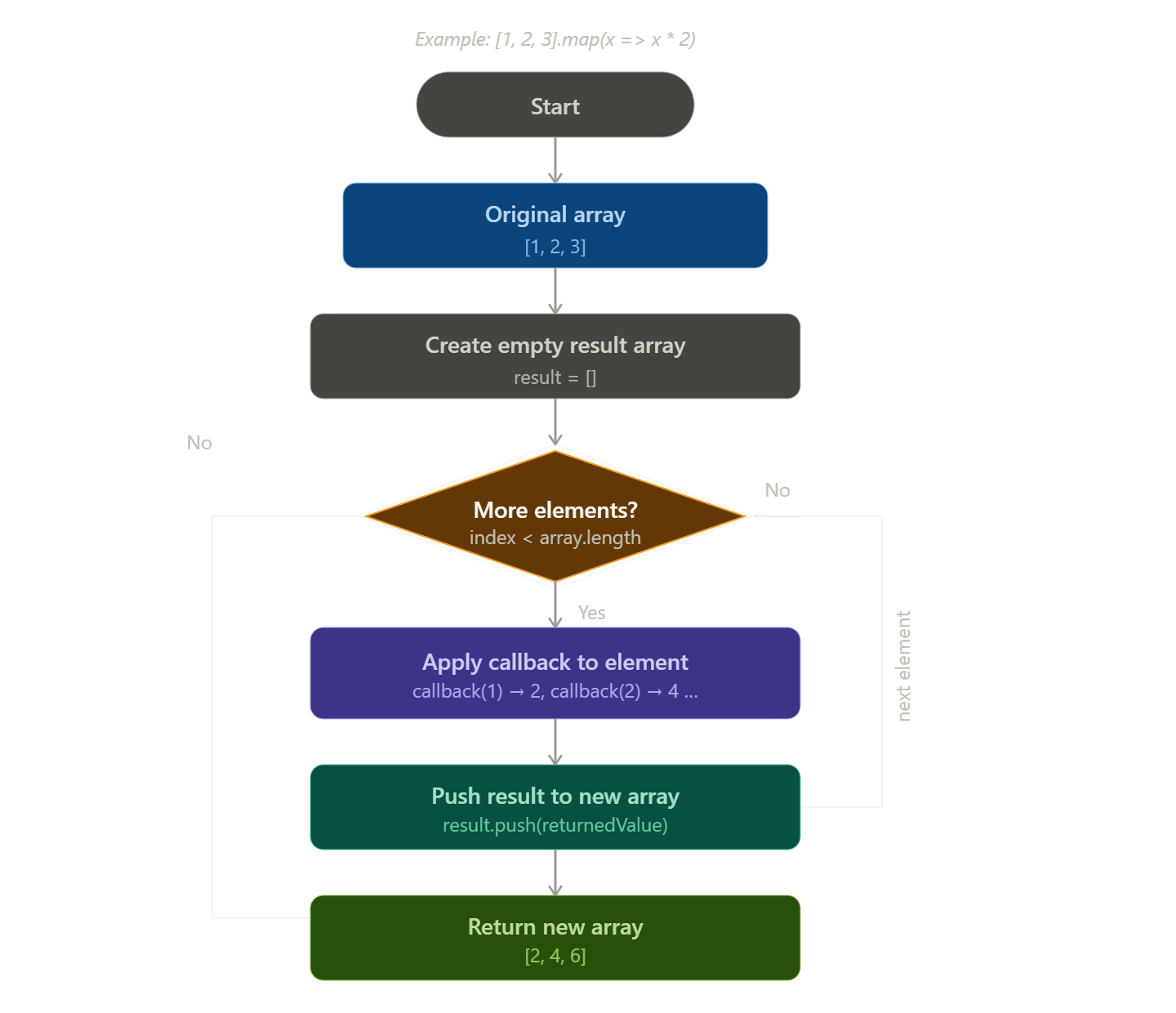
Returns the length of array.map(): The map() method iterates on the each element of the array and applies the callback function to manipulate the each elment and returns the new array containing the transformed results.
example:
const arr = [1,2,3,4];const newArr = arr.map((e) => { return e * 2 })
console.log(arr);//[1,2,3,4]
console.log(newArr); // [2,4,6,8]Key Points:
The original array is not modified.
It is designed to tranform data from one format to another.
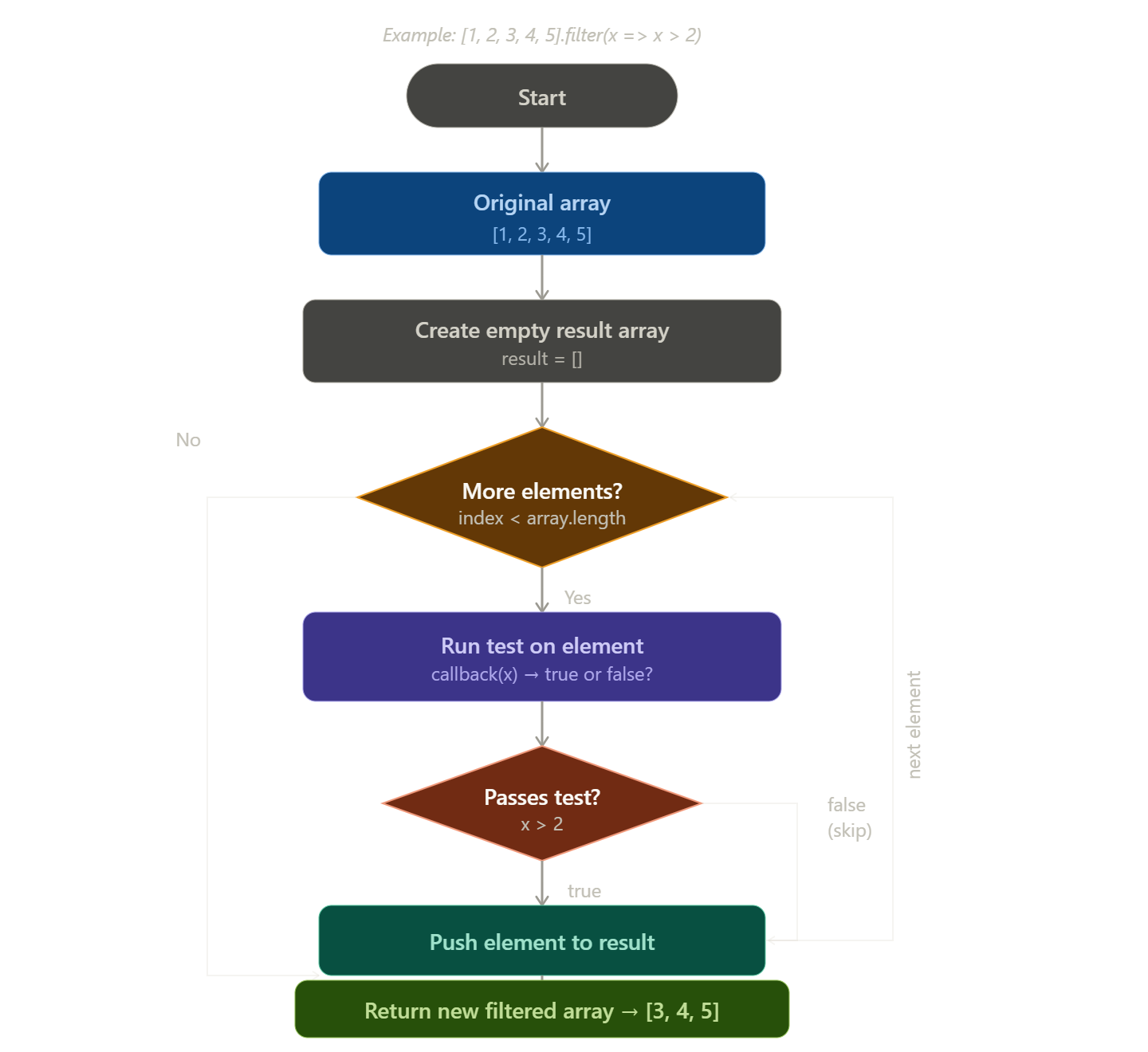
Returns new array of same length of array.filter(): The filter() method is used to filter the array using the condition which we give in the callback function and the condition apply of each element of array. It returns the new array which contains the filter elements.
example:
const arr = [1,2,3,4,20,22];const newArr = arr.filter(e => e > 10 )
console.log(arr); // [1,2,3,4]
console.log(newArr); // [20,22]Key Points:
The original array is not modified.
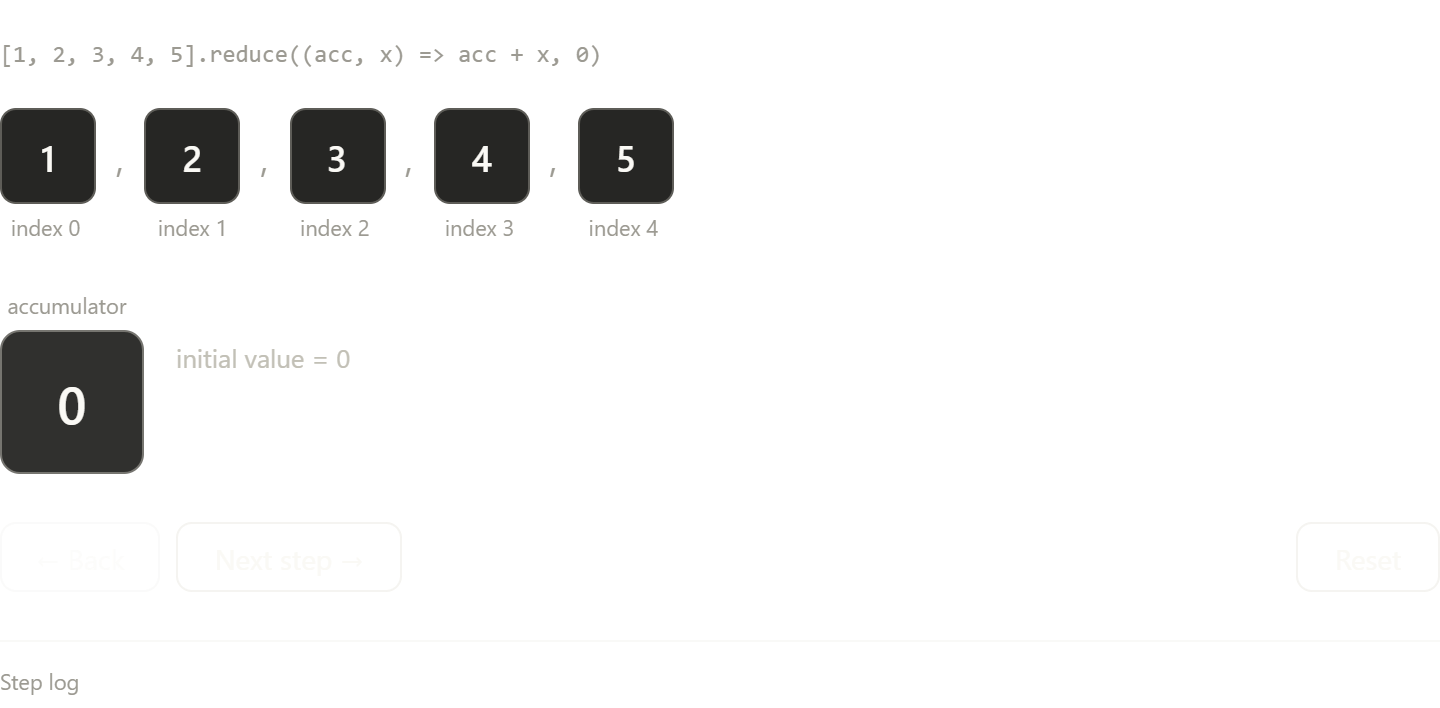
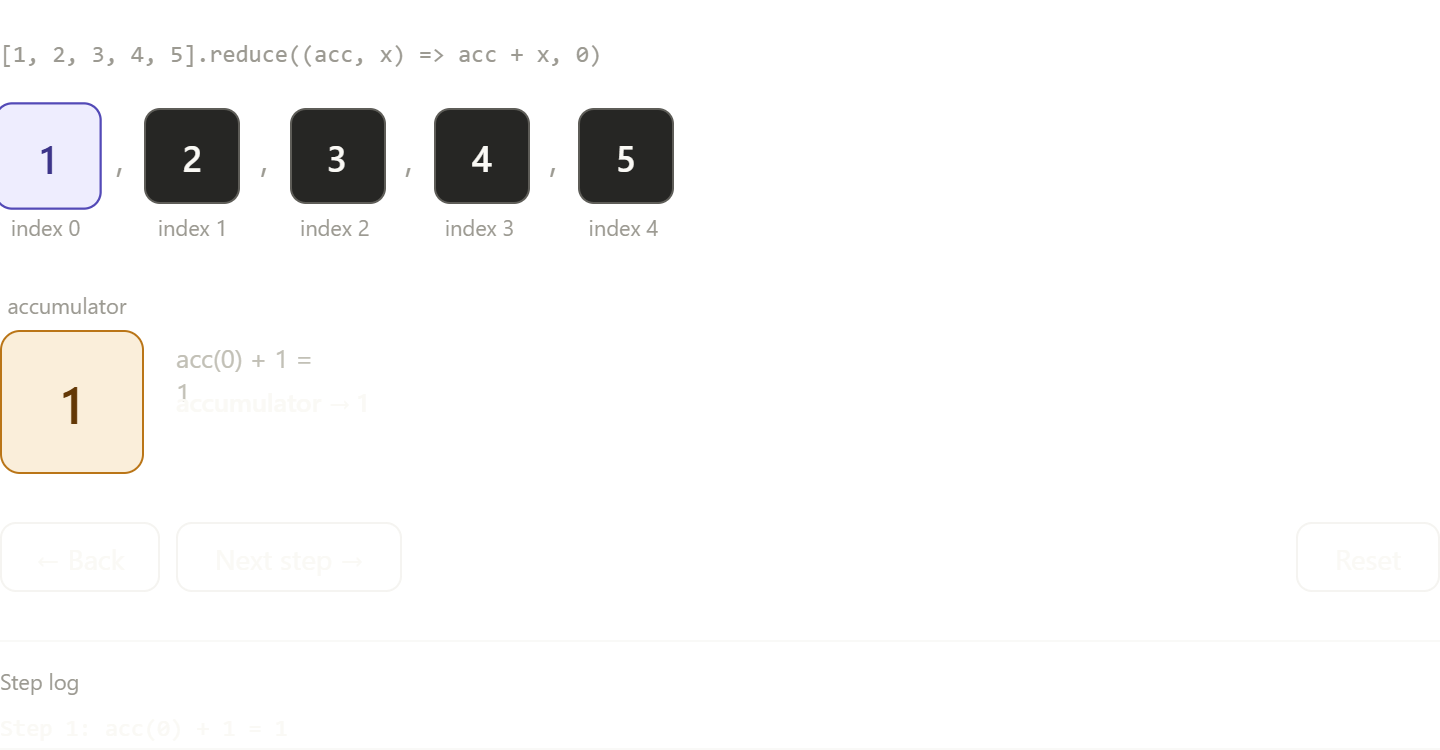
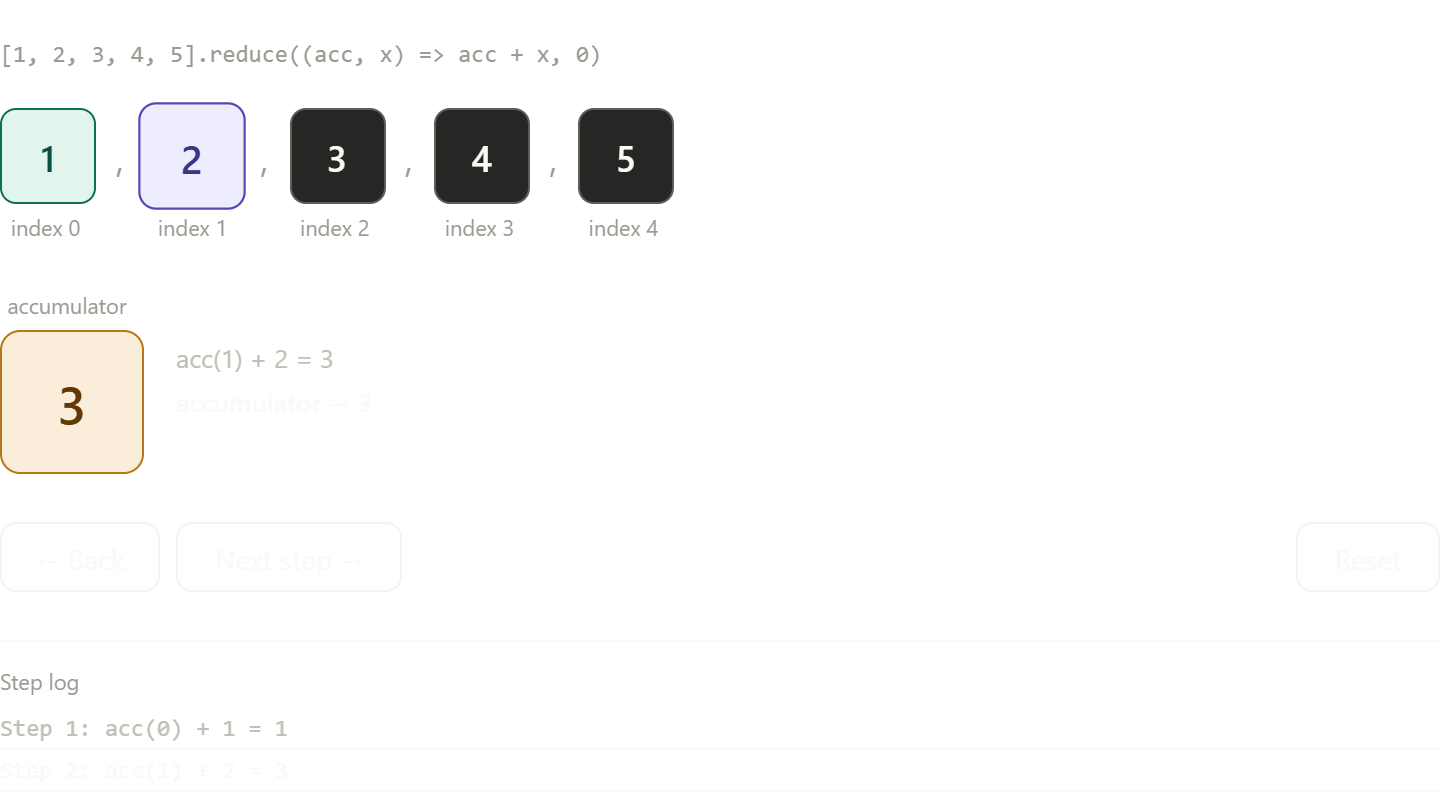
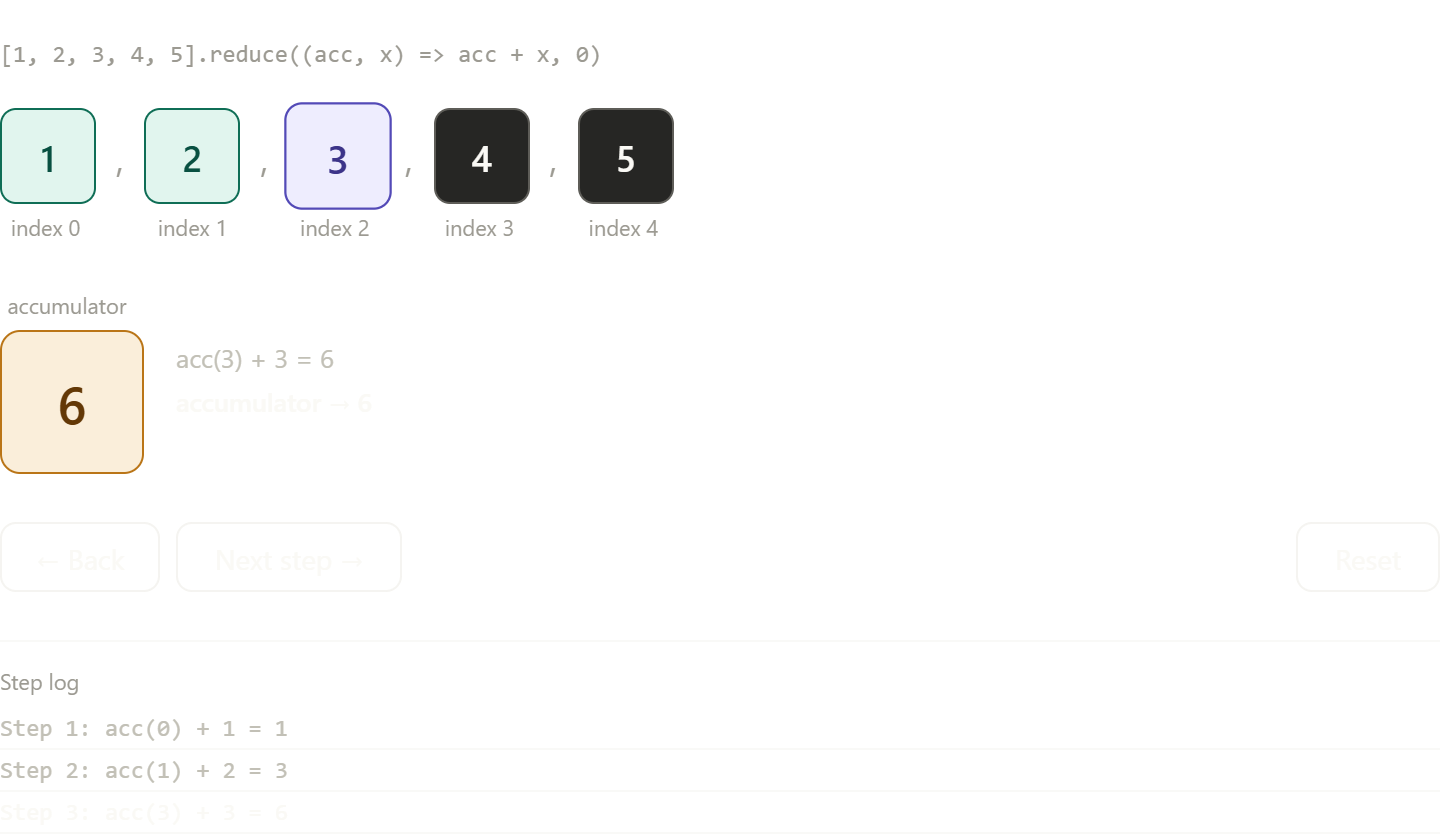
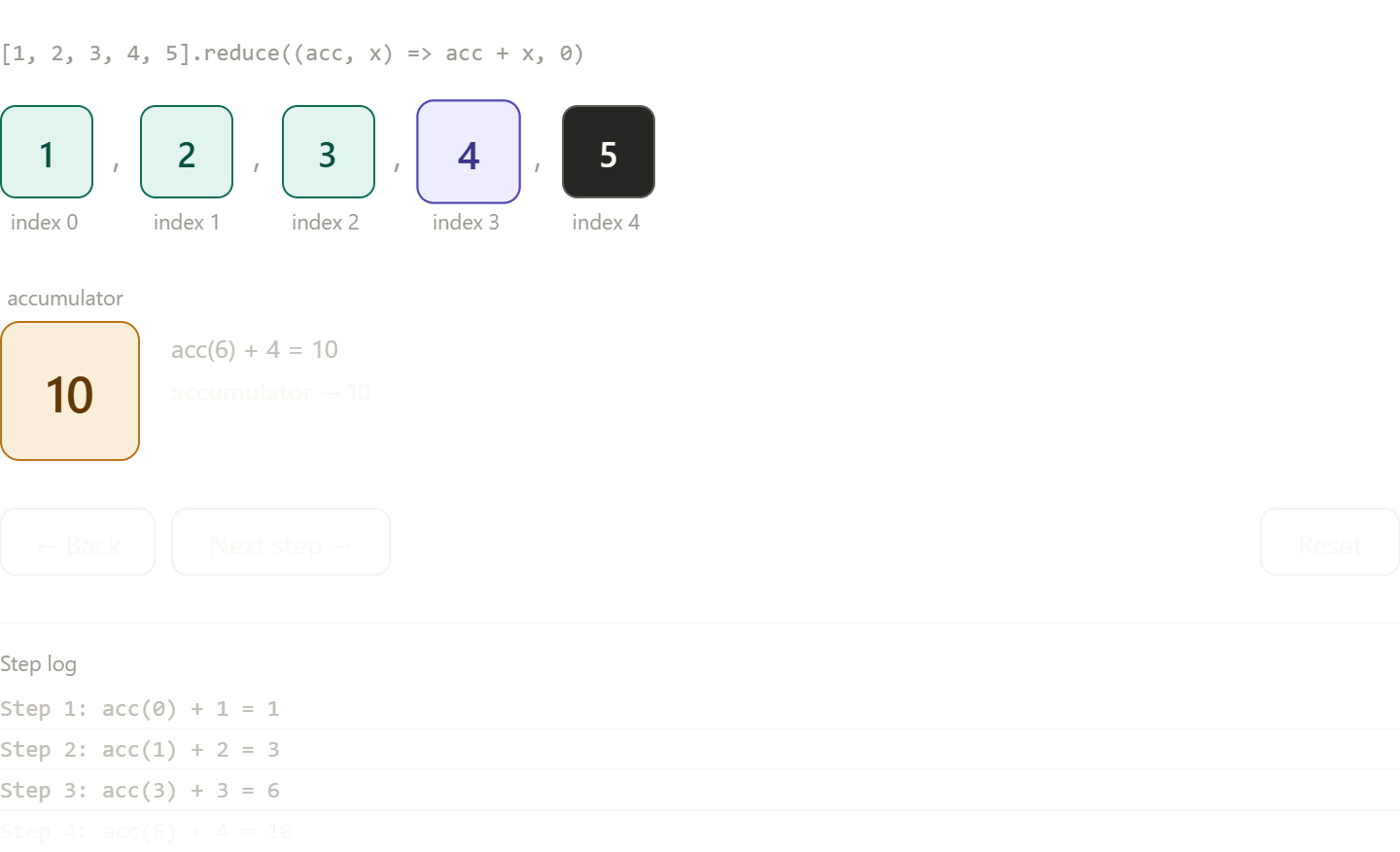
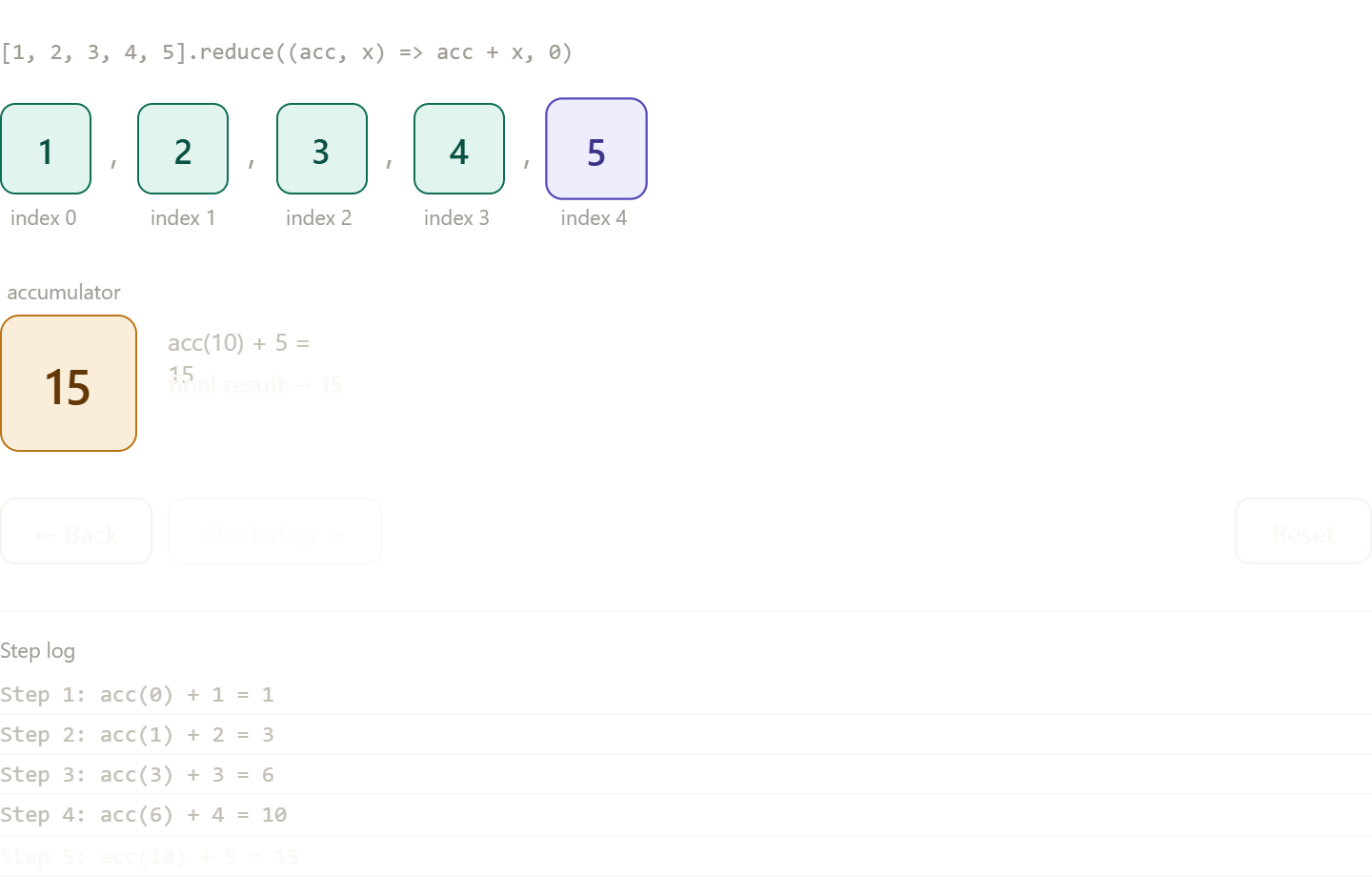
Returns the new array based on the condition.reduce(): The reduce() method designed to iterate through an array and execute the callback function on each element to accumulate a signle result.
exmaple:
const arr = [1,2,3,4]
const acc = arr.reduce((acc,curr) => { return acc += curr },)console.log(acc)// 10
Key Points:
-Accumulator and current : the first parameter of an callback function is the accumulator and second parameter is the current value of the array.
-whenever you return from your callback function becomes the accumulator fro the next element. if you forgot to return something, the next iteration will recieve undefined.
-Always provides an intialValue as the second argument to reduce().forEach(): The forEach() method runs the callback function on each element in an array , it has three parameters (currentItem,index,array).
It is non-mutating array method and it returns nothing.example:
const names = ['John', 'Sarah', 'Mike'];names.forEach((currentItem,index) => { console.log(
User:\({index + 1} is \){currentItem}) })Key Points:
The method always return undefined. because it does not return a value, it cannot be chained with other array methods like map,filter.
You can't stop or break out of a forEach() loop using the break or continue keywords. the only way to stop it early is by throwing an exception.Diagrams:
Flowchart showing how map works:
:
Simple visual for reduce accumulating values: